
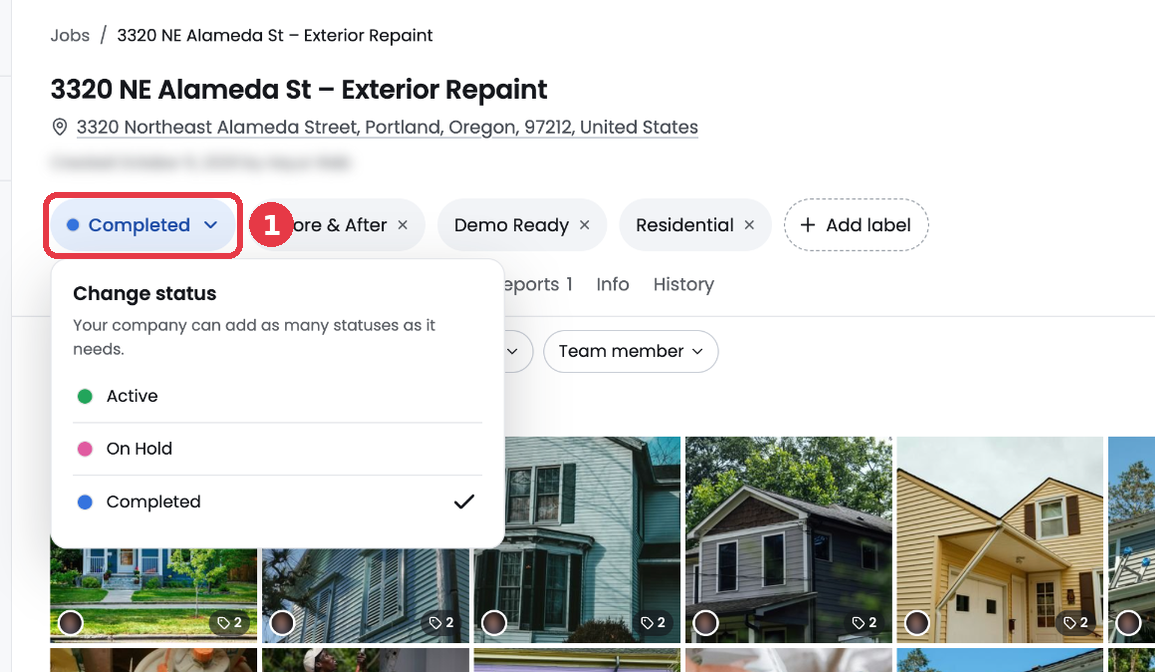
Every job has one status. It tells your team where the job stands. BlitzzCam comes with three statuses: Active, On Hold and Completed.
Change the status
- Open the job.
- Click the status button under the job name.
- Pick the new status. The change saves right away.
Filter jobs by status
On the Jobs page, open the Status filter and pick one or more statuses. This is a quick way to see every job that is on hold, for example.
Add your own statuses
Admins can add, rename, recolor and reorder statuses in Admin settings > Job statuses. Your company can add as many statuses as it needs, like Estimate, Scheduled or Invoiced.