
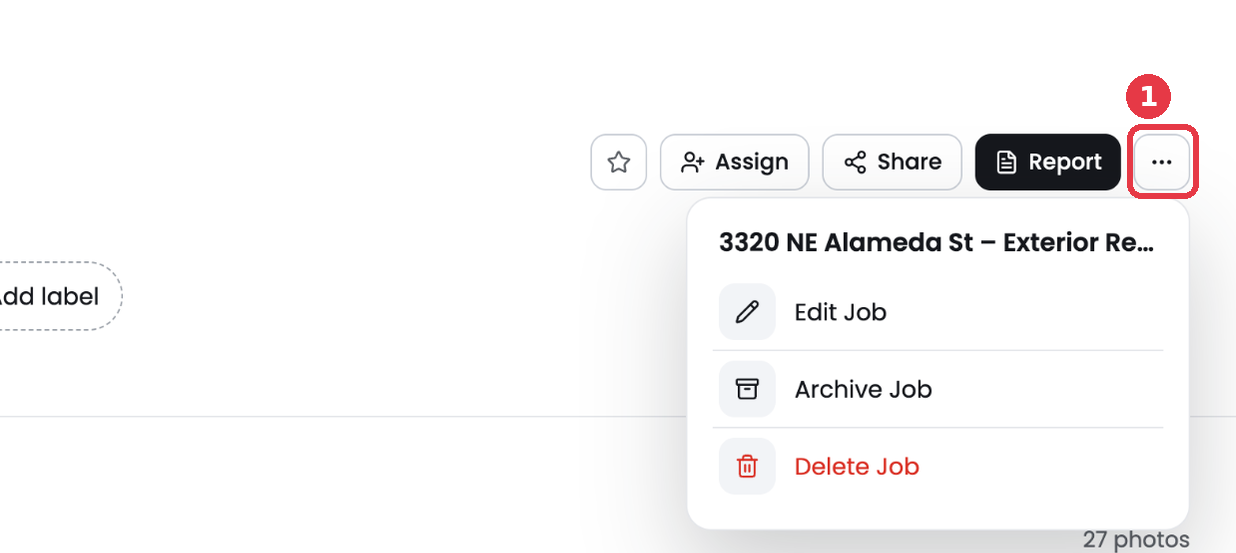
Use the job menu to change job details, archive a job you no longer need in your main list, or delete it.
Open the job menu
- Open the job from the Jobs page.
- Click the ... button at the top right.
Edit a job
Click Edit Job to change the job name, description, address, contact or other details. Save your changes when you are done.
Archive a job
Click Archive Job when the work is finished and you want it out of your main list. Archived jobs keep all their photos and reports. Find them under the Archive filter on the Jobs page.
Delete a job
Click Delete Job only when you are sure. Deleting a job removes it along with its photos, videos, checklists and reports.
Tip: Archive is the safer choice. It keeps your photo record in case a customer or insurer asks for it later.