
This guide shows you around the BlitzzCam web app so you know where everything lives.
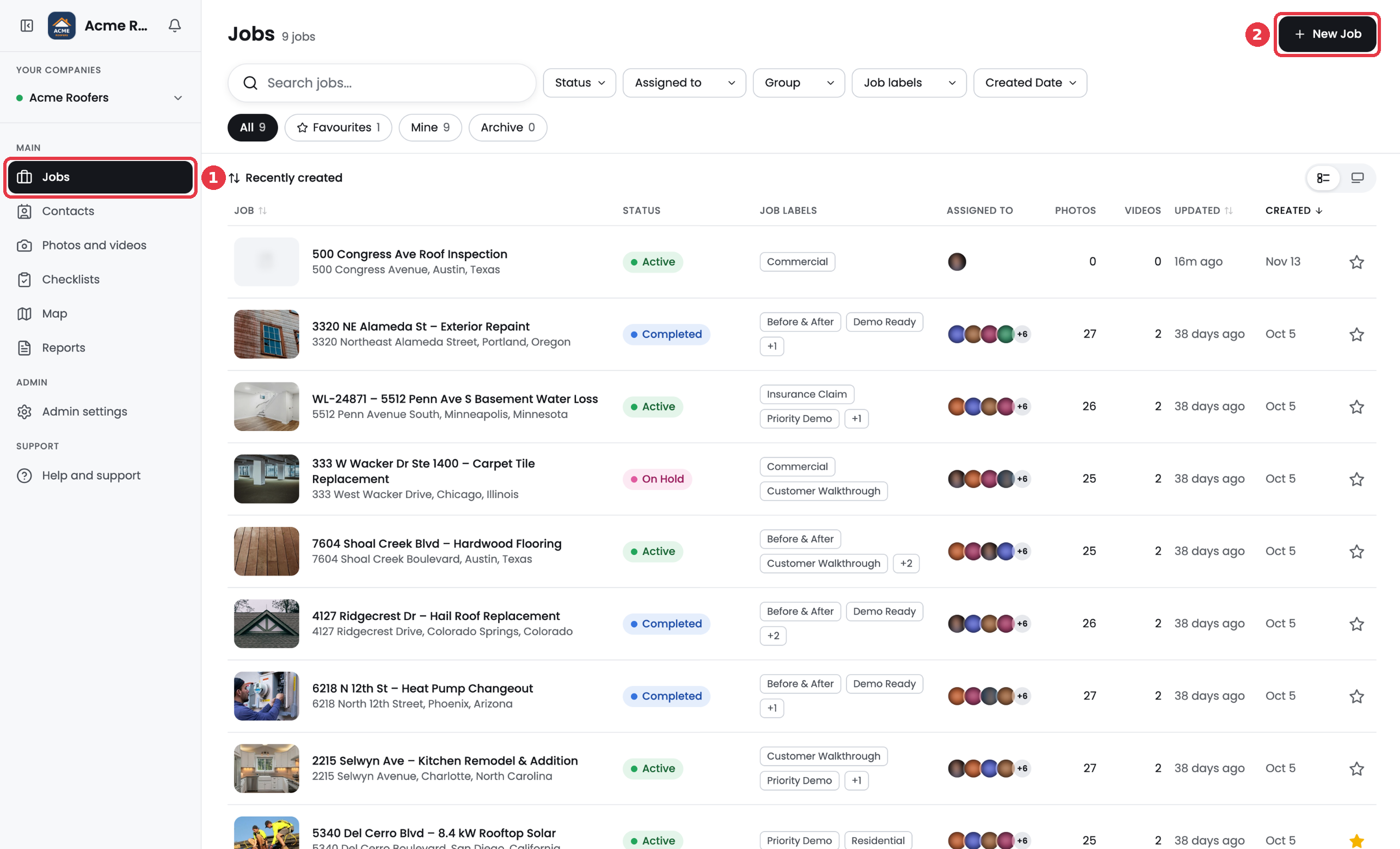
The left menu
- Jobs. Every job in your company. Search, filter and open a job to see its photos and details.
- Contacts. The customers and companies you do work for. Add them to jobs.
- Photos and videos. Every photo and video across all jobs in one feed. Filter by job, date, team member, group or photo tag.
- Checklists. All checklists across jobs, grouped by in progress, not started and done. Manage templates here too.
- Map. See your jobs on a map.
- Reports. Every report your team has built.
- Admin settings. Company settings, photo stamps, team members, groups, job statuses, job labels, media tags and the activity log. Admins only.
- Help and support. Opens this help center.
Inside a job
Open any job to see its tabs.
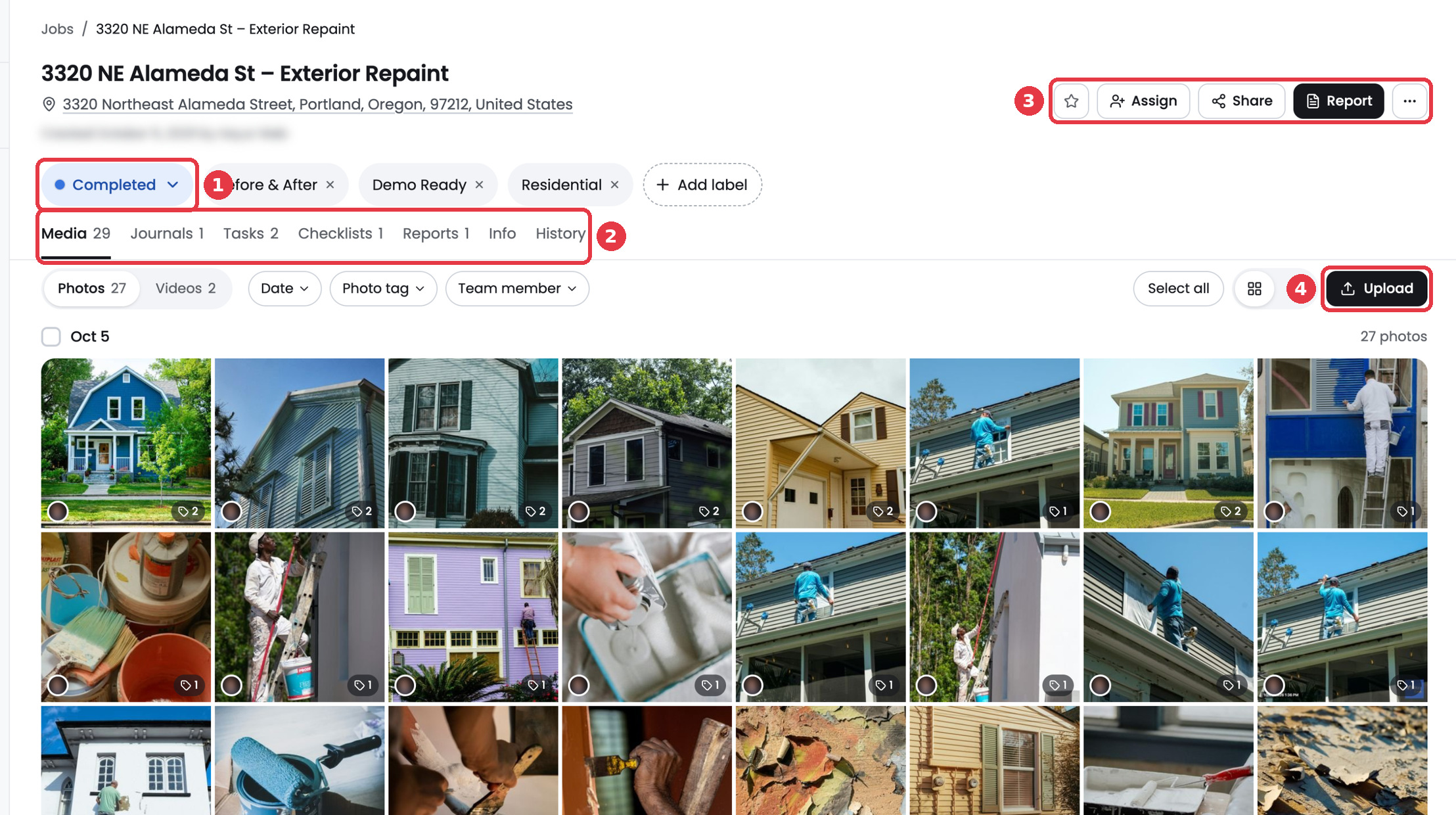
- Media. Photos and videos for the job, grouped by day.
- Journals. Written notes about the job.
- Tasks. To dos you can assign to team members.
- Checklists. Checklists attached to this job.
- Reports. Reports built from this job's photos.
- Info. Job details like address, contact, team members, labels and GPS coordinates.
- History. A timeline of everything that happened on the job.
The buttons at the top right let you favourite the job, Assign team members, Share a gallery, build a Report and edit, archive or delete the job.