
BlitzzCam helps field crews capture, organize and share jobsite photos. Every photo is tied to a job, stamped with time and location, and ready to turn into a report. This guide walks you through your first 15 minutes.
What you need
- A BlitzzCam account. Start a free 14 day trial at web.blitzzcam.ai/get-started.
- The BlitzzCam mobile app on your phone for capturing photos in the field.
- A web browser for managing jobs, reports and your team.
Step 1. Sign in to your workspace
After signup, your company gets its own workspace at yourcompany.blitzzcam.ai. Sign in on the web and in the mobile app with the same email.
Step 2. Create your first job
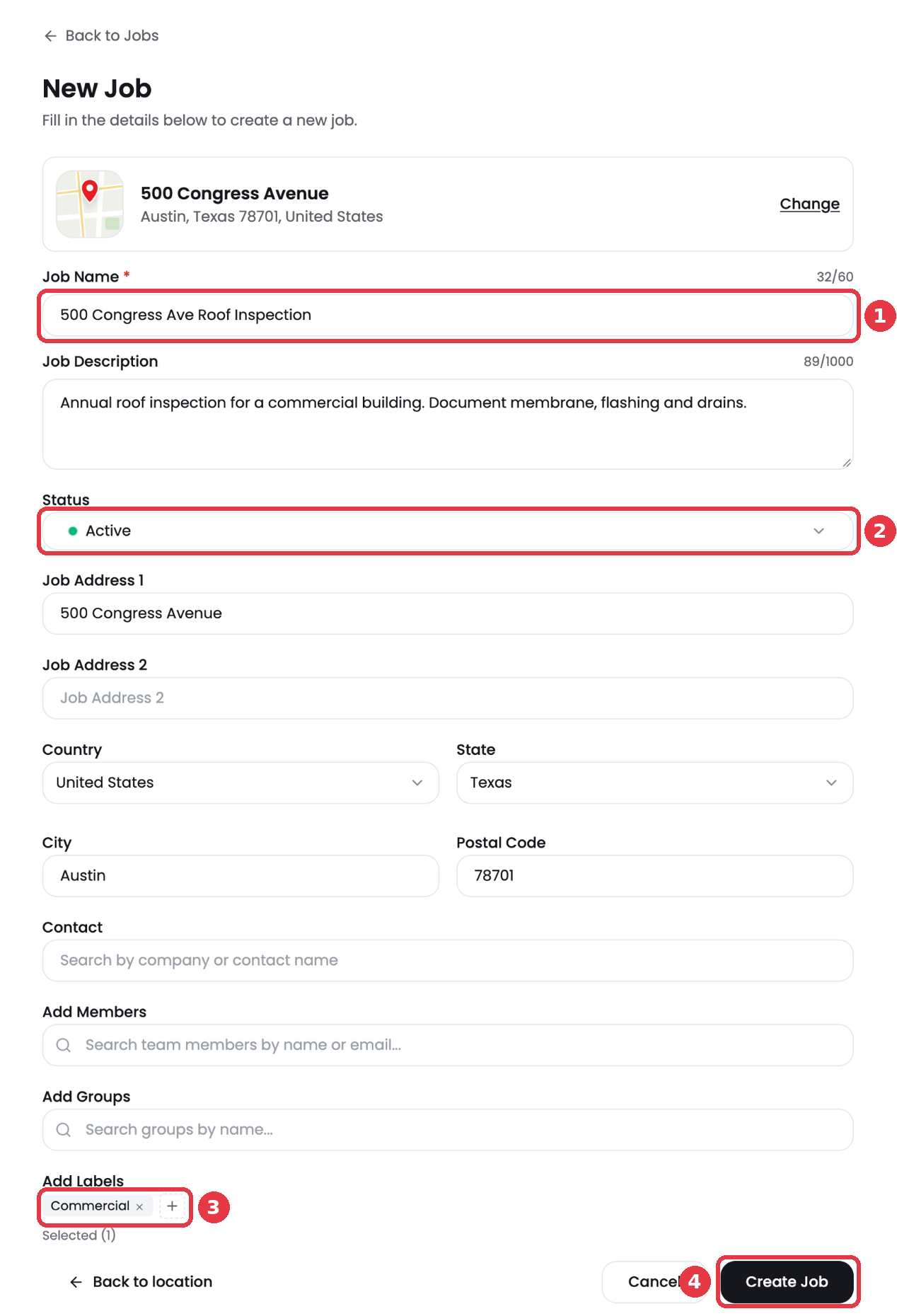
Click + New Job on the Jobs page. Pick the job address on the map, then add a job name, status, team members and labels. Every photo for this job will land in one place.
Step 3. Invite your crew
Go to Admin settings > Team members and click Invite team member. Pick a role for each person.
Step 4. Capture photos in the field
Open the job in the mobile app and tap the camera button. Photos sync to the job so the office sees them right away. You can also upload photos from your computer.
Step 5. Share the results
Share a gallery link from the job, or build a PDF report with Report Builder.