
Bring your office staff and field crew into BlitzzCam so everyone captures and sees photos in one place. Admins invite users, set roles and organize crews into groups.
Invite a team member
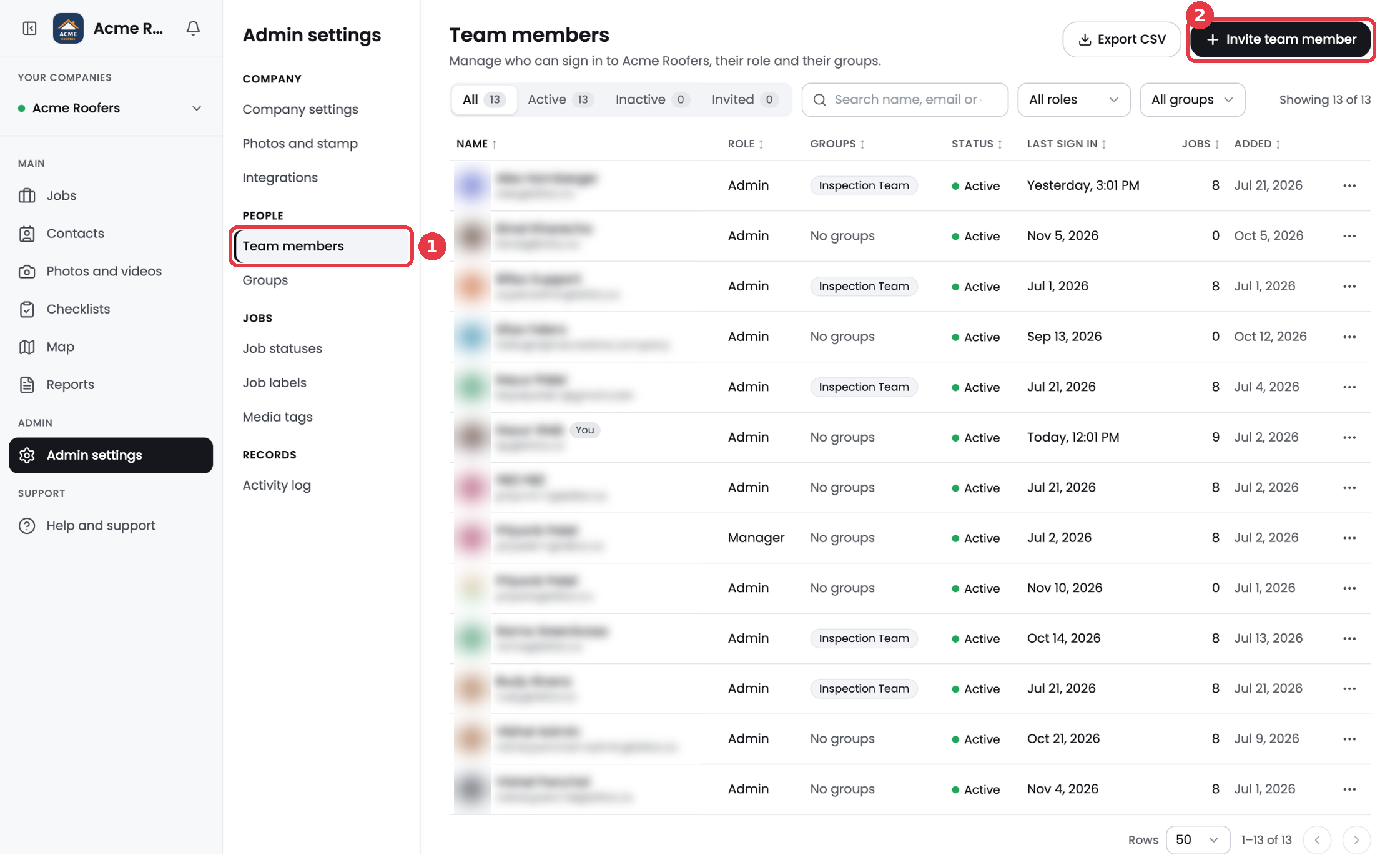
- Go to Admin settings > Team members.
- Click Invite team member.
- Enter the person's Email Address.
- Choose a Role.
- Optional: pick a Group. You can change this later.
- Click Send Invitation. The person gets an email to set their own password.
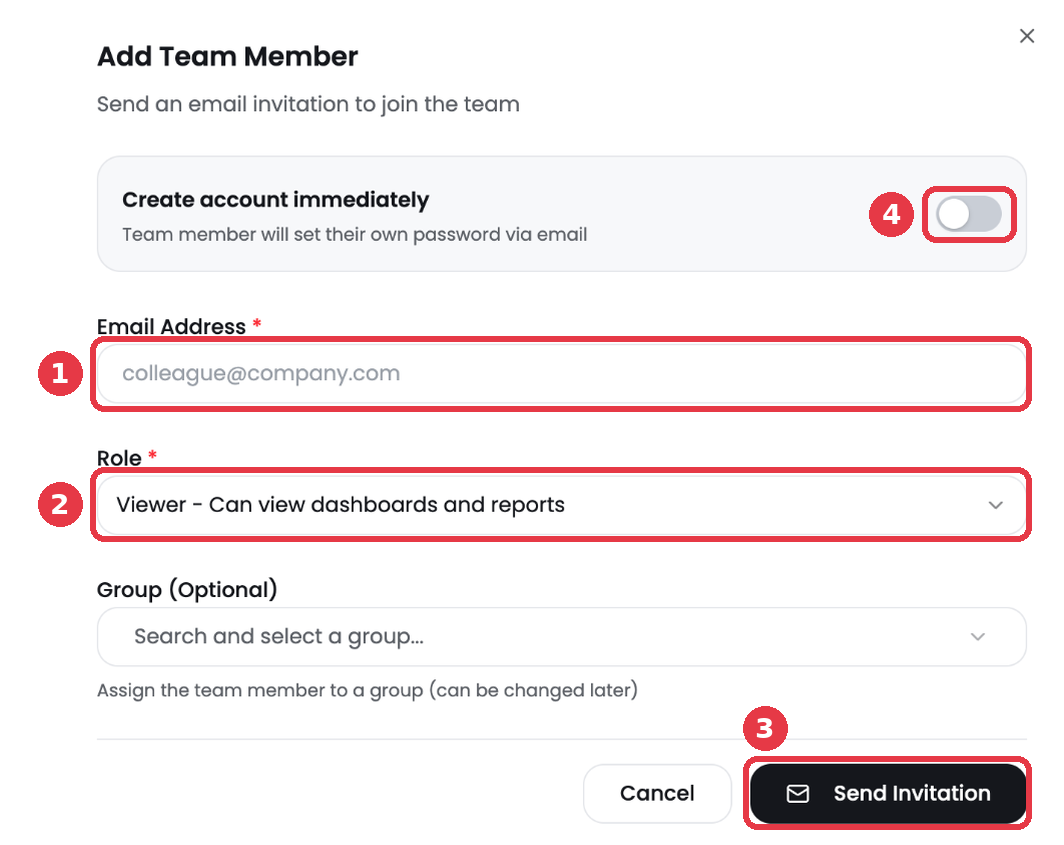
Tip: Turn on Create account immediately if you want to set up the account yourself, with a name and password, instead of sending an invite.
Manage your team
- Use the All, Active, Inactive and Invited tabs to see each person's status.
- Search by name or email, or filter by role or group.
- Click ... on a row to manage that person.
- Click Export CSV to download your team list.