
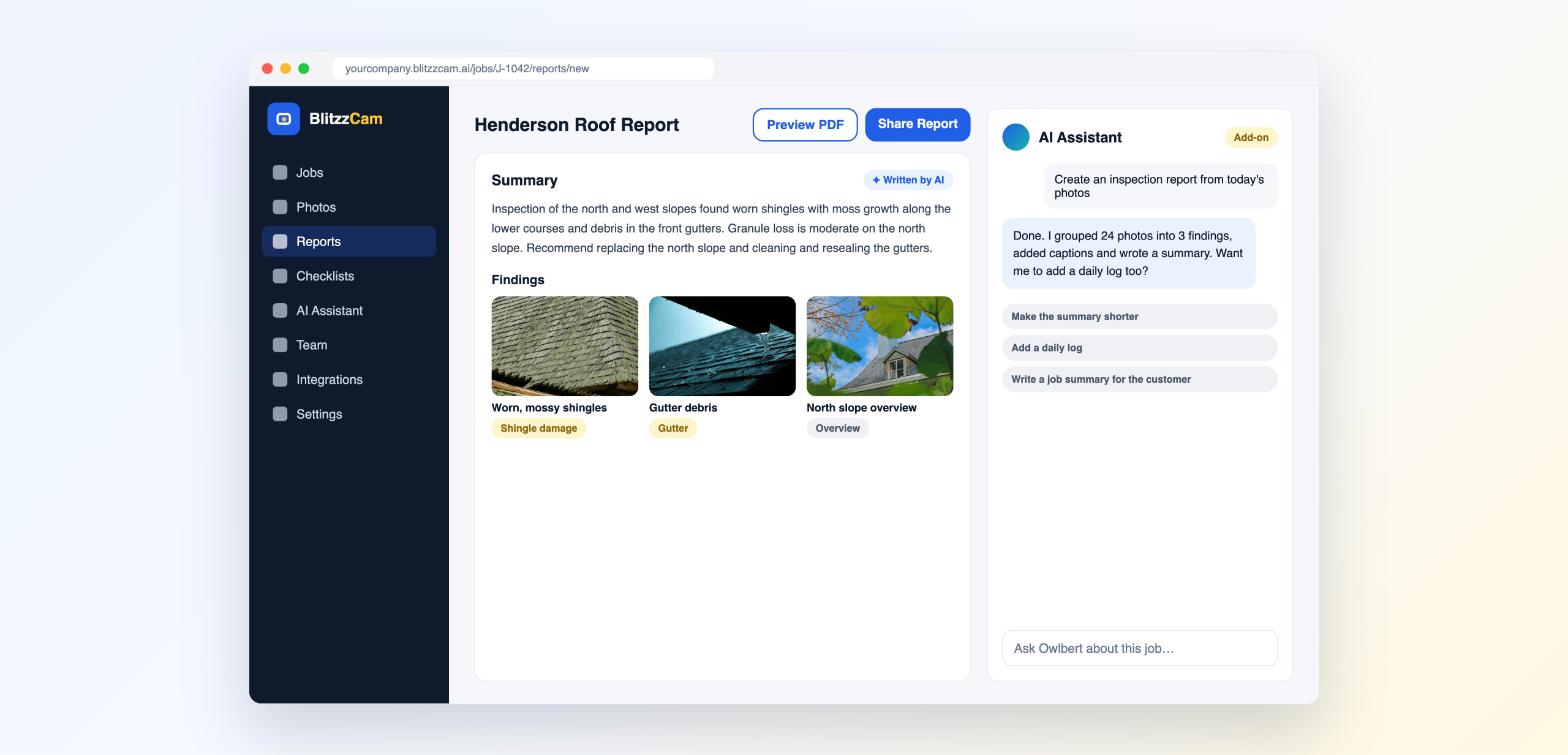
The AI Assistant turns your job photos into a polished report. It groups photos into findings, writes captions and drafts a summary you can edit and share. The AI Assistant is available as an add-on. If you do not have it, you can build the same report yourself with Report Builder.
Create a report
- Open a job on the web and go to Reports.
- Open the AI Assistant panel.
- Ask for what you need, for example: Create an inspection report from today's photos.
- Review the summary and findings. Anything written by AI is labeled so you can check it.
- Edit any text or swap photos as needed.
- Click Preview to check the layout. Then click Share to send a link or Download to get the PDF.
More things you can ask
- Make the summary shorter
- Add a daily log
- Write a job summary for the customer
- Caption and tag these photos
Share options
Share a report as a link or download it as a PDF.
Good to know
- Always review AI written text before you send a report to a customer or insurer.
- Better photos make better reports. Use AI Walkthrough to capture the right shots.