
If you see We couldn't find that Blitzz workspace, the workspace address has a typo or you picked the wrong product.
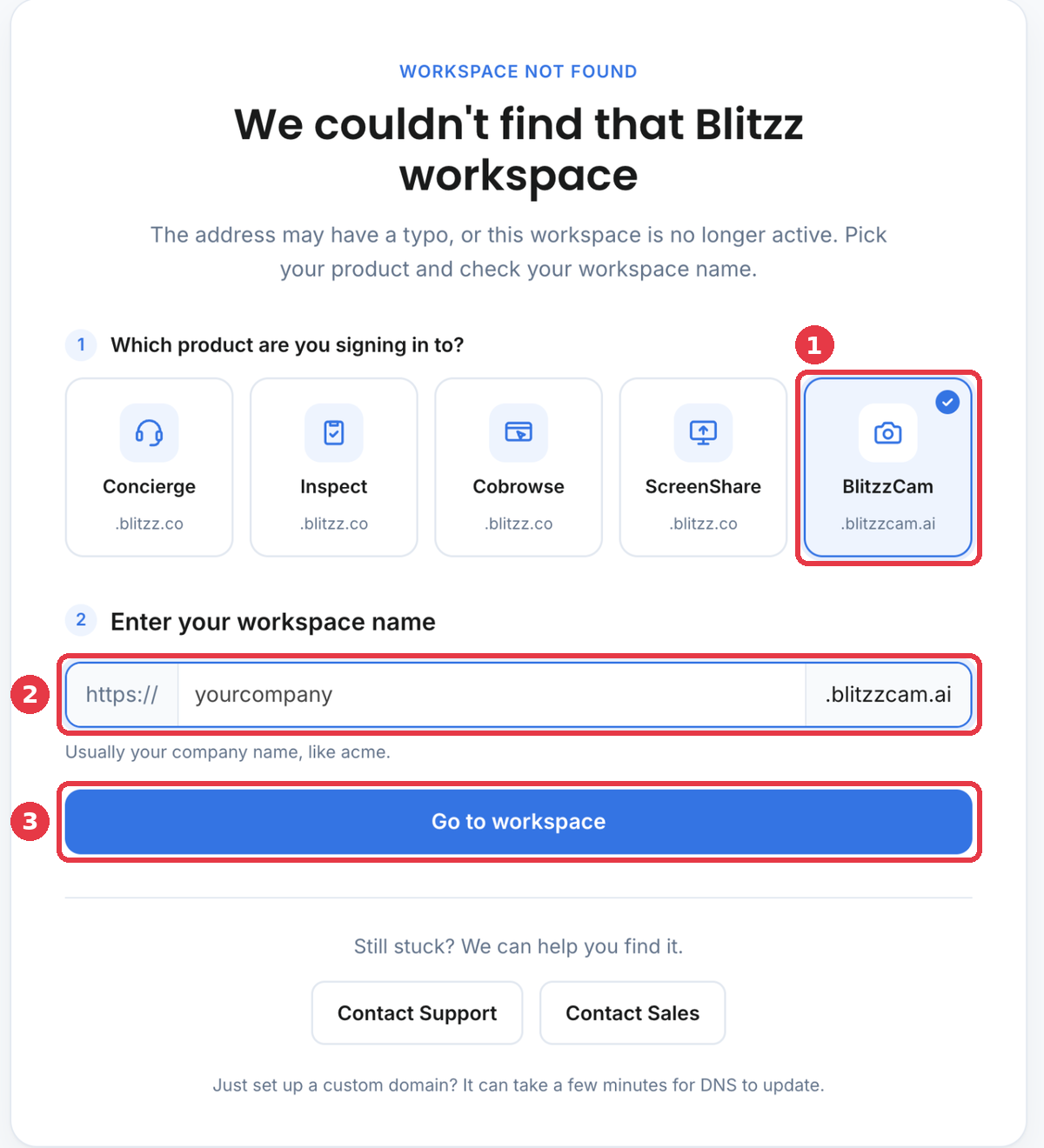
Fix it
- Under Which product are you signing in to?, click BlitzzCam. The address should end in .blitzzcam.ai.
- Type your workspace name. It is usually your company name, for example acme.
- Click Go to workspace.
Still can't get in?
- Open the invitation email you got from BlitzzCam. The link goes to your workspace.
- Ask your BlitzzCam admin for the workspace address.
- Forgot your password? Use the reset option on your workspace sign in page.
- Your account may be inactive. Ask your admin to check Admin settings > Team members.
- Contact BlitzzCam support with Contact Support on that page, or submit a ticket from this help center.